 Skrunk Switch Controller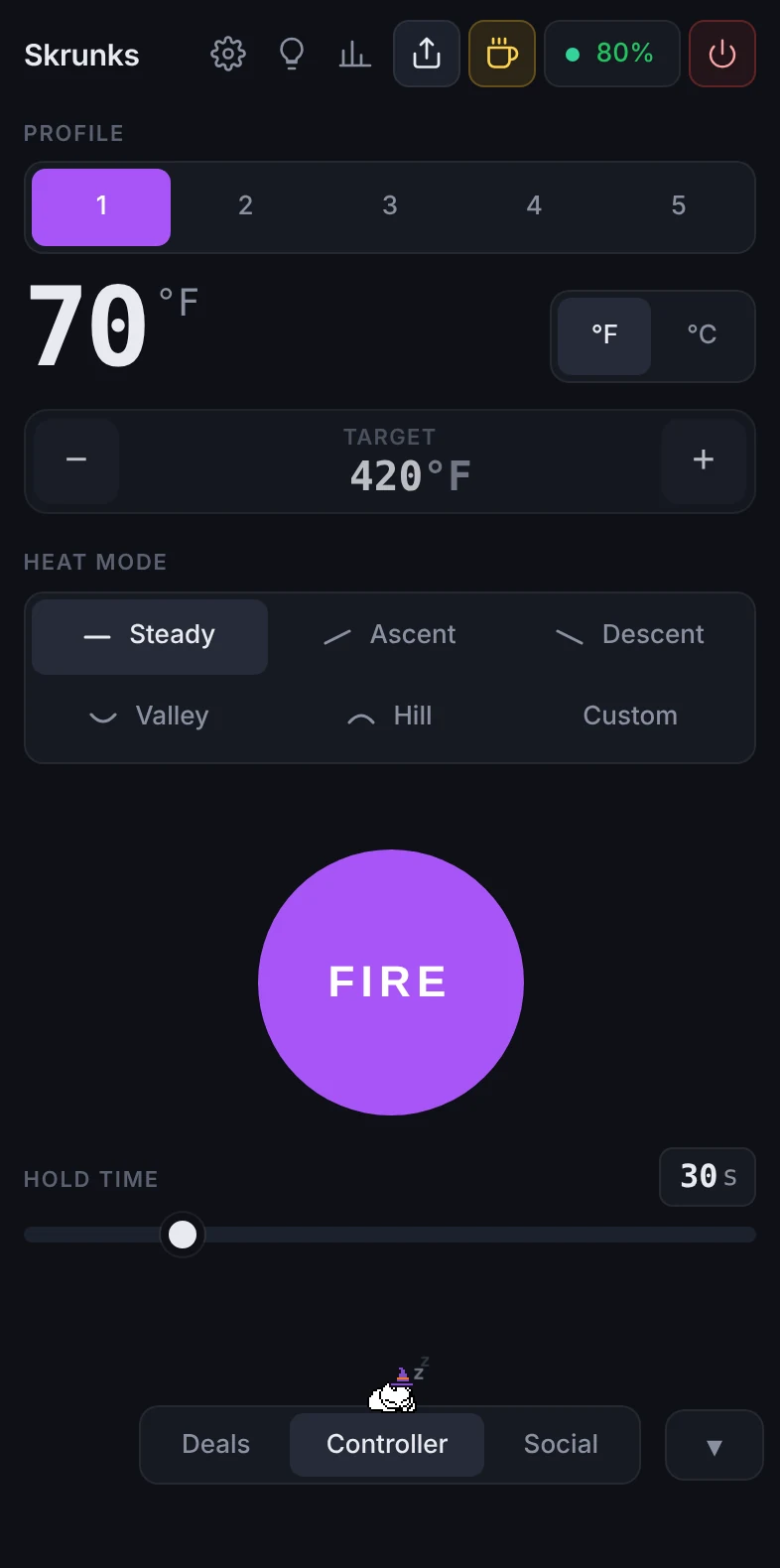
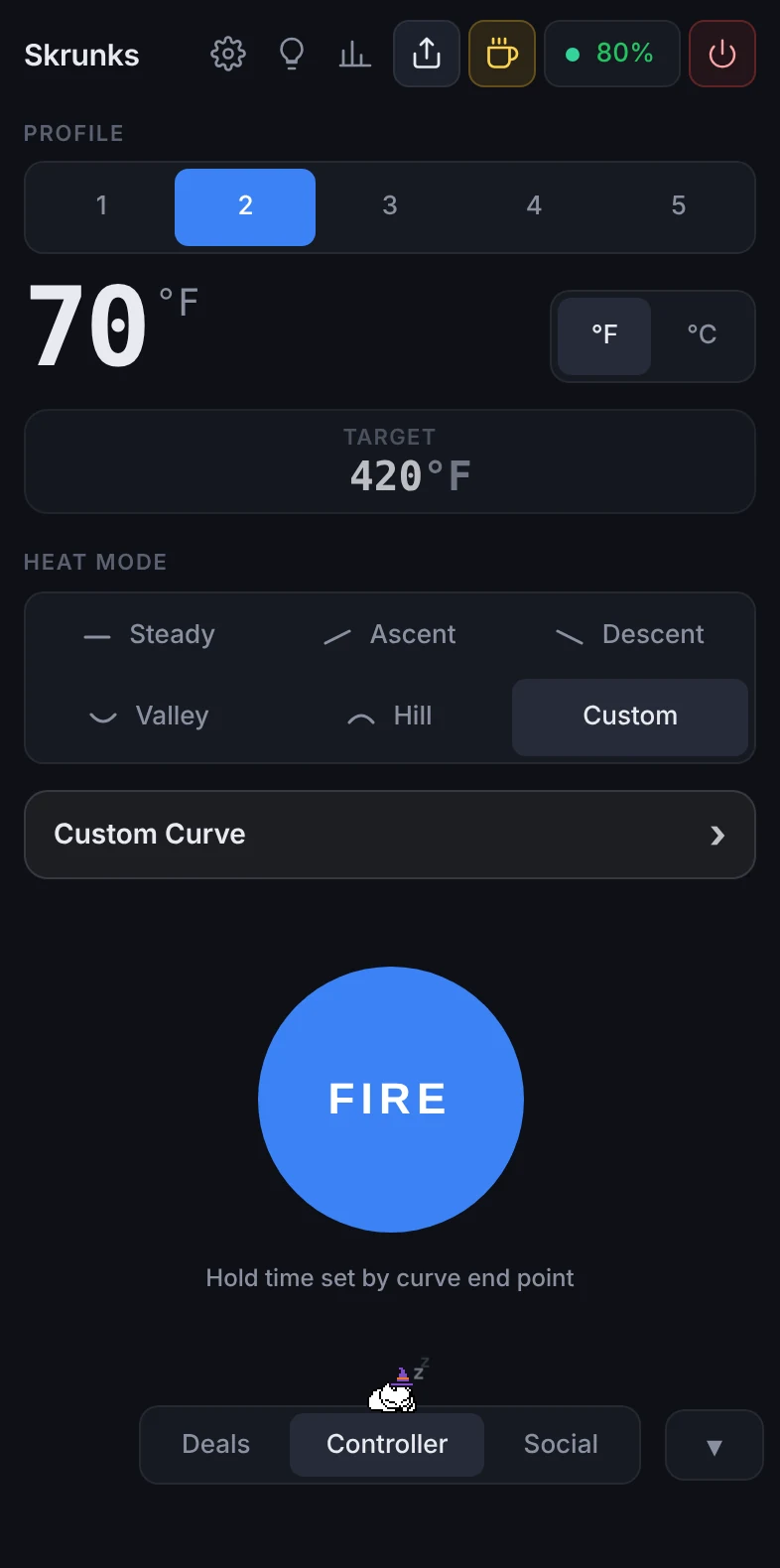
Run your Switch 2 or Switch Go from any screen.
Free, unofficial controller for Dr Dabber's rigs. Custom heat curves, five profiles, lights, stats, and friends if you want them.
On Android, iPhone, Windows, Mac and Linux, or right in Chrome and Edge.
Connects 20% faster
Everything loaded in 5.9s instead of 7.3s, about 1.4 seconds sooner.
Tested over 20+ connects on the same rig and computer, web app vs web app.
Questions people ask
Something else? Check the changelog for what's new.
Is this the official Dr Dabber app?
No. It's a free, fan-made controller by Skrunkle and isn't affiliated with Dr Dabber. It was built by watching the Bluetooth messages the rig sends and receives, and it talks to the rig the same way the official app does.
Which rigs does it work with?
The Dr Dabber Switch 2 and the Dr Dabber Switch Go.
How is it different from the official Dr Dabber app?
It runs on more places: there are apps for Android, iPhone, Windows, Mac and Linux, plus the website. The curve editor can lock a curve's shape while you move it up or down, or stretch its timing. You can share a single profile with a short code instead of all five. It connects to your rig faster, and reconnects on its own when your rig turns on. Advanced Stealth keeps the rig's lights off until it's heating. Social is there if you want friends and leaderboards, and there's no account, no tracking and no firmware updates.
Is it free?
Yes. No ads, no account, nothing to buy. If you want to say thanks, you can buy Skrunkle a dab.
Should I use an app or the website?
The apps connect more reliably and can reconnect on their own when your rig turns on. The website needs nothing installed, but it only works in Chrome or Edge on a computer or Android phone.
How do I install it on an iPhone?
Use whichever installer you like. AltStore and SideStore are free and use your Apple ID: add this source and install from there: Add to AltStore or Add to SideStore. With a free Apple ID the app has to be refreshed every 7 days, which they do for you. FlareStore and other certificate signers like Feather and ESign work too, with no 7 day refresh: add https://update.skrunk.org/altstore.json as a repo so you see updates, or download the IPA and import it.
Why doesn't the website work on my iPhone?
Safari doesn't let websites use Bluetooth, and neither does any other iPhone browser except Bluefy. Install the iPhone app, or open the website in Bluefy.
Windows says it protected my PC. Is it safe?
That warning shows up for any app that isn't signed with a paid certificate. Click More info, then Run anyway. The app installs just for you and doesn't need admin rights.
My Mac says the app can't be opened. What do I do?
Try to open it once, then go to System Settings, Privacy & Security, and click Open Anyway. Allow Bluetooth when it asks. You only have to do this once.
How do I install it on Linux?
Download the .flatpak and run flatpak install --user with the file name. The first install also downloads the GNOME runtime from Flathub. Bluetooth has to be turned on in your system settings.
Can it break my rig?
It sends the same kinds of commands the official app does, and it never updates or changes your rig's firmware. That's on purpose, so nobody's rig can get bricked.
Does it track me?
No. There are no analytics and no ads. Social is off until you turn it on, and even then there's no email or sign up, just a recovery code.
How do I get updates?
The Android, Windows and Mac apps tell you when there's an update and install it for you. On iPhone, AltStore, SideStore or FlareStore show the update if you added the source. If you installed the IPA by hand, download the new one from here. The Linux app tells you when a new version is out, and the website is always up to date.
It won't find my rig. What can I try?
Make sure the rig is on and isn't connected to another phone or the official app, since it only talks to one app at a time. Then turn Bluetooth off and on again, and try connecting from the app once more.